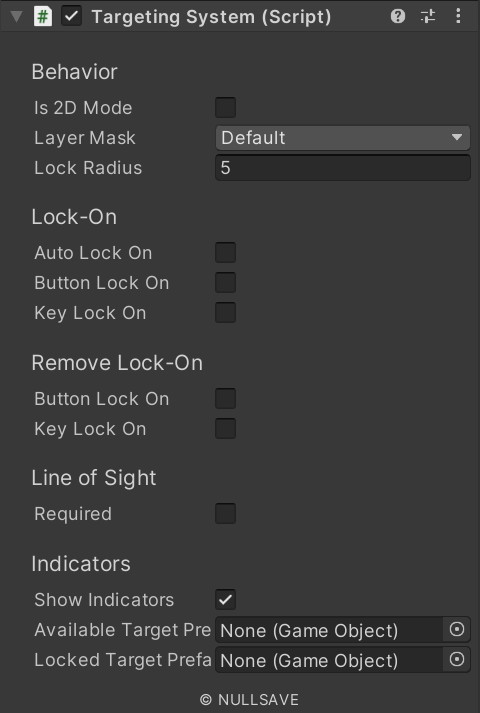
| Is 2D Mode | Activate 2D lock-on mode |
| Auto Lock On | Automatically lock-on to target(s) in range |
| With Button | Lock on to targets in range with button press |
| Lock On Button | Button to use for locking on |
| With Key | Lock on to targets in range with key press |
| Lock On Key | Key to use for locking on |
| Layer Mask | Layers to include when checking for targets |
| Tag Mode | Method used for selecting based on tags |
| Tag Filter | List of tags used for filtering targets |
| Lock Radius | Radius to check for targets |
| Minimum Distance | Minimum allowed distance to target |
| Remove With Button | Lock on to targets in range with button press |
| Remove Lock On Button | Button to use for locking on |
| Remove With Key | Lock on to targets in range with key press |
| Remove Lock On Key | Key to use for locking on |
| Require Line Of Sight | Require unobstructed view of target |
| Obstruction Layer | Layers to include when checking for obstructions |
| Los Offset | Offset from transform position when looking for target |
| Available Target Prefab | Prefab to instance on targets that can be locked on but are not |
| Locked Target Prefab | Prefab to instance on targets that are actively locked on |
| On Available Targets Changed | Event raised when available target list changes |
| On Locked Targets Changed | Event raised when locked on target list changes |