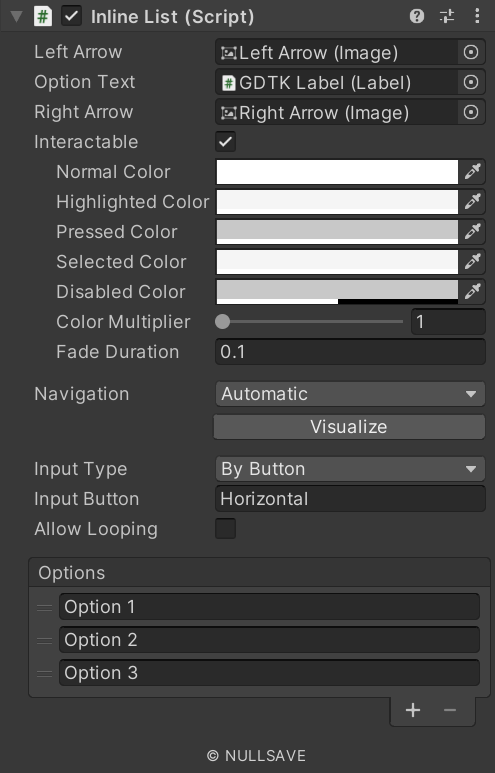
| Left Arrow | Image showing the left navigation arrow. |
| Option Text | Label displaying the selected item text. |
| Right Arrow | Image showing the right navigation arrow. |
| Allow Looping | Allow moving from the last to first item or vice versa. |
| Options | List of available options |
| Input Type | Method used to navigation between options. |
| Input Button | Button used to navigation between options. |
| Previous Key | Key used to go to previous item. |
| Next Key | Key used to go to next time. |
| On Selection Changed | Event raised whenever selection changes. |
| On Index Changed | Event raised whenever selection changes. |