Part 1: Adding Stats
Select Your Stat Source#
Adding Stats to your character, NPC, or environment object is as simple as selecting the object in the Hierarchy panel, right-clicking, and selecting GDTK > Stats, and selecting which type of Stat Source you'd like to add.
| Stat Type | Description |
|---|---|
| Basic Stats | Supports Stats, Status Conditions, and Attributes |
| Stats and Effects | Has everything in Basic Stats plus Status Effects |
| NPC Stats | Has everything in Stats and Effects plus Respawning support |
| Player Character Stats | Has everything in NPC Stats plus Races, Classes, Leveling, and UI |
Adding Stats#
Once you've selected your Stat Source type it's time to start adding Stats. Expand the Stats section and click "Add Stat".

Editing a Stat#
Info Section#
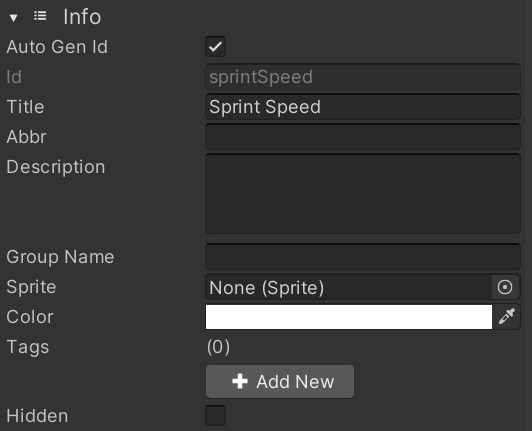
Stats need an Id so they can be addressed by the system. By default Auto Gen Id is selected and will automatically update the value supplied in Title to be a valid Id. In this example we see that "Sprint Speed" has been given an Id of "sprintSpeed". The remaining fields in this section are all used for UI only and can be supplied or omitted as desired. If you select the Hidden option this Stat will not be displayed in the UI.
Value Section#
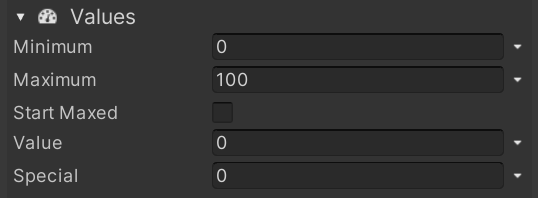
Each of the values can be literals, formulas, random in range, or conditional. You can change between these by pressing the down arrow to the right of each value. Note that Standard handles both literals and formulas.
Regeneration Section#
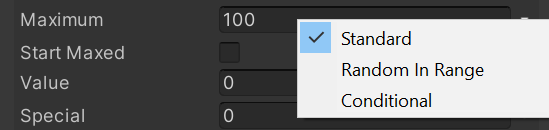
You can have the Value of your Stat automatically regenerate. Delay and Rate are both values like those above and can handle the same value types.
Enabled can be either a literal or conditional so you can set it to only rengerate under certain conditions.
Delay is the number of seconds to wait after the last time the Value went down before beginning to start adding to it.
Rate is the amount to add to the value each second while regenerating.
Whole Increments tells the system to add the Rate and the end of each second instead of adding it every Update at a rate of Rate * Time.deltaTime.
Incrementing Section#
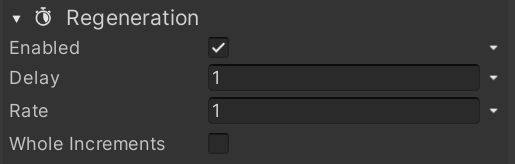
You can have the Value of your Stat automatically increment. Increment Amount is like those above and can handle the same value types.
Enabled can be either a literal or conditional so you can set it to only rengerate under certain conditions.
Increment When is a condition that is evaluated everytime a change is made to a reference value.
Increment Amount is the amount to add to the current value whenever the condition above is true.