Part 6: Stats DB
To use the more advanced features of GDTK: Stats you will need a Stats DB. This component holds a list of all globally reusable items such as Class, Race, etc.
In the Hierarchy panel, right-click, and selecting GDTK > Stats > Stats DB.

| Field Name | Description |
|---|---|
| Data Source | Location used to store/retrieve data. |
| Relative Path | (Data Source = Resources) Path underneath a Resources folder used to find the JSON file containing the DB data. |
| Bundle | (Data Source = Asset Bundle) Name of the bundle to find if already in LoadedAssetBundles. |
| Path | (Data Source = Asset Bundle) Path relative to the PersistentDataPath containing the Asset Bundle to load (if not already loaded). |
| Asset Name | (Data Source = Asset Bundle) Name of the asset inside of the bundle containing the JSON data file. |
| Relative Path | (Data Source = Persistent Data) Path relative to the PersistentDataPath containing the JSON data file. |
| Load On Awake | (Data Source != Local) Load the data file immediately on Awake. |
Open Editor#
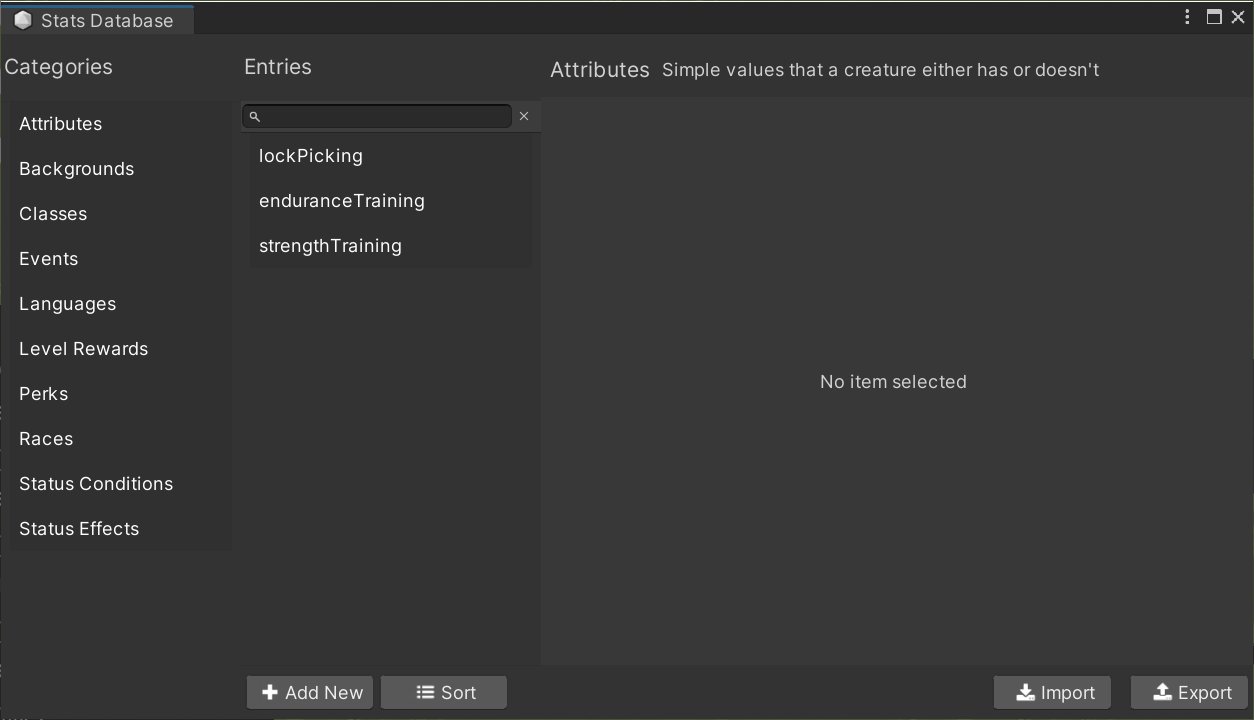
This button opens an editor window for working with the database.